ekklesiaandClaude Opus 5
5f2a9098c1
ekklesiaandClaude Opus 5
5f2a9098c1
Some Wonder Ink lesson links are a download rather than a page: the
server sends the PDF as an attachment, so there is nothing for a tab to
show and the file lands on disk.

In this room that is the same as it not arriving. There is no file
manager, no application launcher and no downloads bar, on purpose, and a
teacher is not going to open a maintenance terminal to print a Christmas
tree. 0.2.1 downloaded the worksheet, said so in a notification, and left
it somewhere unreachable. Found on the canary machine with a real lesson.

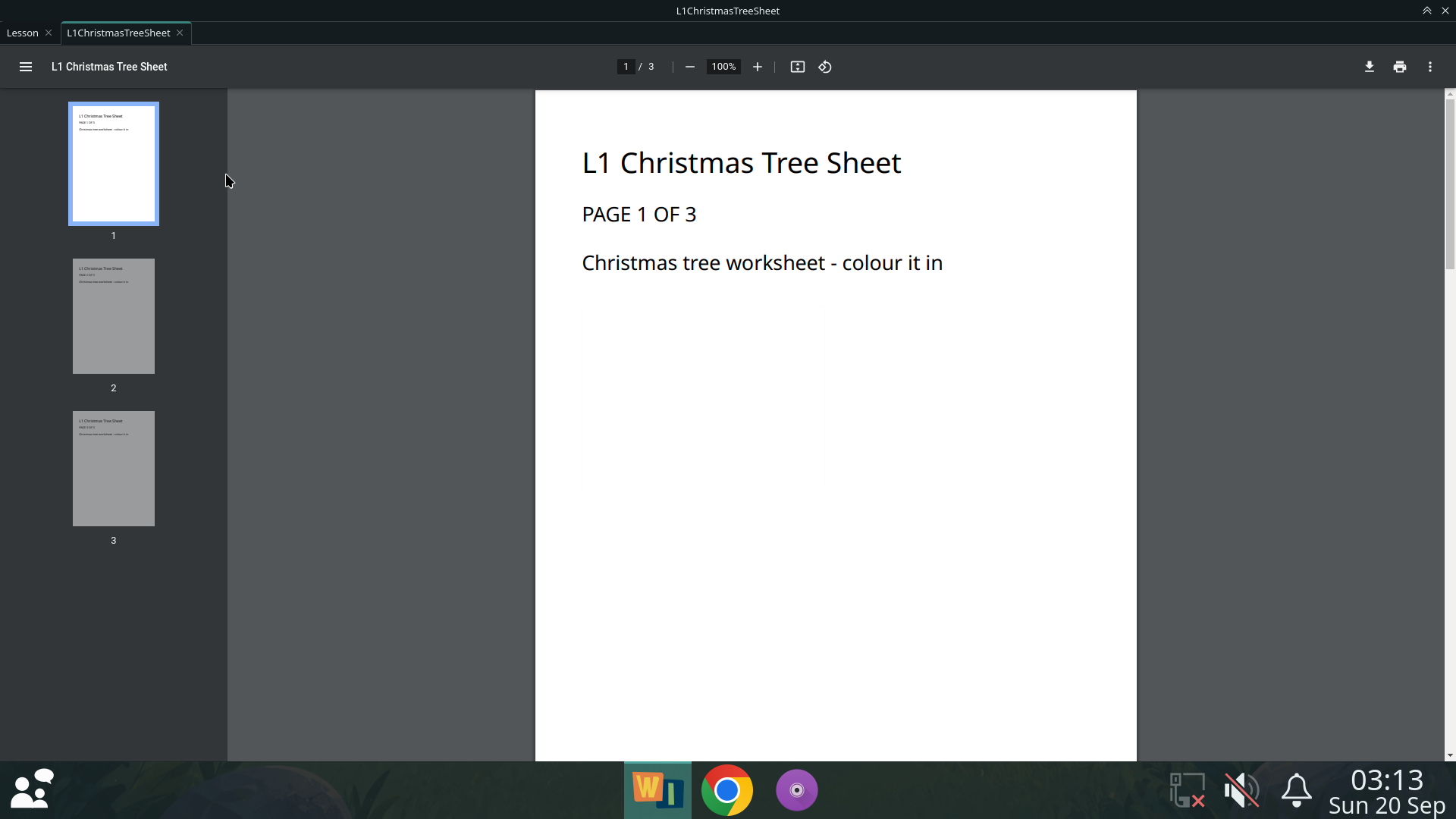
So a download that completes, and really is a PDF, opens as another tab.
Rendering is the engine's own viewer — the same PDFium Chrome uses — so
there is no second rendering library and no separate application. That
was verified against a completed local file rather than assumed from the
remote case: PdfViewerEnabled was already on, and a local file: URL is a
different question.

WHAT IS REFUSED. A completed download is not a usable worksheet. HTML
that a server called .pdf, an empty file, an unreadable one: all refused
on the first five bytes rather than on the name, because the alternative
is a blank tab that says nothing. An interrupted download says it did not
finish and to try again — and that needed stateChanged rather than
isFinishedChanged, which is not emitted for an interrupted download at
all. Connected to the obvious signal, this said nothing whatsoever about
a worksheet that failed to arrive, which is the one case a teacher most
needs told about. Measured.

WHICH LOCAL FILES. Exactly the ones the window opened itself. Opening a
worksheet adds one resolved path to a list, and the page's
acceptNavigationRequest refuses every file: URL that is not on it.
Chromium already refuses to let a remote page reach file: — verified with
a link, a location.href, and a link to a worksheet that had been
downloaded but not opened by the shell, all refused — so this is the
second lock rather than the only one. It is here because the first one is
somebody else's. Two Qt defaults are turned off beside it:
LocalContentCanAccessFileUrls, which is on by default and would let a
local document read other local documents, and its remote counterpart.
Print to File is removed from the print dialog, because choosing it
enables a path with a "..." button, which is a file chooser, in a room
whose whole design is that there is no file chooser. The PDF viewer's own
menus were audited: two-page view, annotations, present, properties, and
nothing that opens or saves anywhere a teacher chooses.

AND THE BROWSER IS NOT INVOLVED. The handler is connected to Wonder Ink's
own profile, so it only ever sees downloads that started in a Wonder Ink
tab. Nothing inspects a filename, nothing watches a directory, and Chrome
— a separate application with a separate profile — is untouched:
classroom-browser and the Chrome policies are byte-identical to stable
0.2.0. Worksheets go to ~/Downloads/Wonder Ink, which is tidiness and
mostly the security argument: it is the only place one can come from.

Only PDFs. Anything else downloads, says so, and is still unreachable;
that limitation and two small follow-ups are written down rather than
built, and nothing downloaded is ever executed.

Measured from the package on a rebooted machine, and again on one
upgraded from the published 0.2.1: the click-to-tab workflow end to end,
a name with spaces and brackets, multi-page navigation, printing to
Elmer, closing the worksheet without closing the lesson, and the four
refusals. 120 convergence checks and 24 worksheet checks pass on both.
Cookies are still session-only, the Present-view autoplay fix still
works, fullscreen still comes back maximised, and there is still no
address bar and no new-tab button.

Co-Authored-By: Claude Opus 5 <[email protected]>
137 KiB
1920x1080px
137 KiB
1920x1080px